



The Next-Level Wi-Fi Experience
A rugged and sleek design is slim enough to fit in your pocket, yet tough enough to endure drops, dust, and water. With lightning-fast and secure 5G and 4G LTE speeds in over 135 countries worldwide, you can stay connected whether you're working from a local café or streaming from the Eiffel Tower. But that's not all; with every Solis hotspot,we're thrilled to include our groundbreaking Lifetime Data plan.
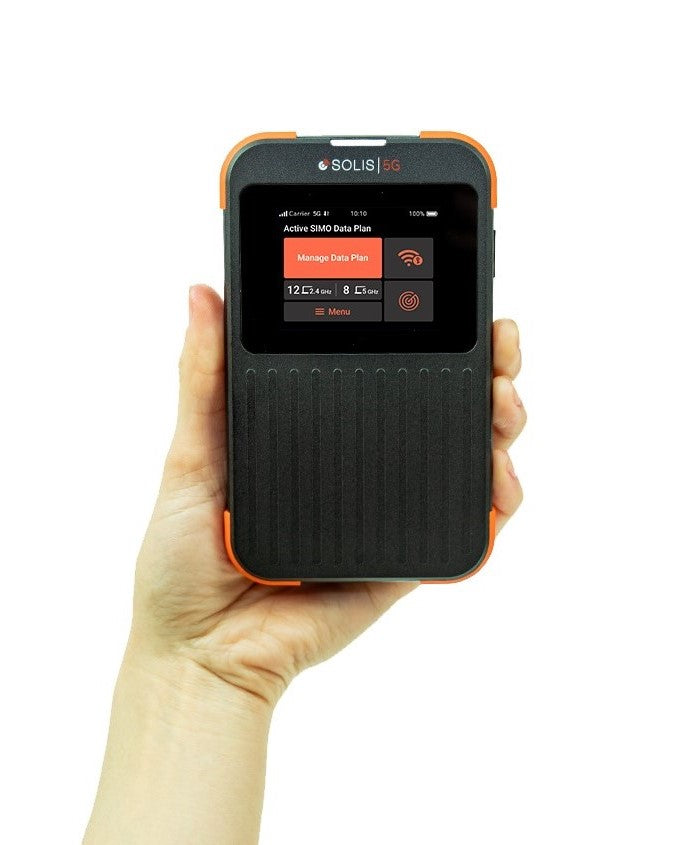

Lifetime Data Plan
Now included with every Solis hotspot, we are excited to introduce our game-changing Lifetime Data plan.
This revolutionary offering gives you seamless internet access with 1GB of global data every month.

Best USA Coverage
Coverage from most major US carriers

Wi-Fi Anywhere
Global Wi-Fi in 135+ countries, No SIM cards needed

Power Bank
Be your own charging station

Share With Up To 16 Devices
Connect your laptop, phone, tablet or any other Wi-Fi device

SignalScan™
Automatically switch to the best available 4G & 5G carriers

Extended Battery Life
Battery lasts up to 24 hours

*Offers valid from April 15, 2024 to April 22, 2024 11:59pm PST. $10 off orders of $50+; $25 off orders of $100+; $50 off orders of $200. Cannot be combined with other offers or promotions. Valid only on soliswifi.co.